
Multiple attachments and mobile SDK
Your operators and users can send multiple files or images in a single message. This makes communication faster and more convenient.
If you're using Dashly's mobile SDK, this feature requires attention to the app version to ensure the chat works correctly for your users.
Why is this important?
Multiple attachments are only supported in newer SDK versions. If you sends several files at once to a user with an older version of the app (with an older SDK), only one file will appear in their chat or an error will occur, potentially disrupting communication.
To prevent this, we've added a special toggle switch to the project's general settings:
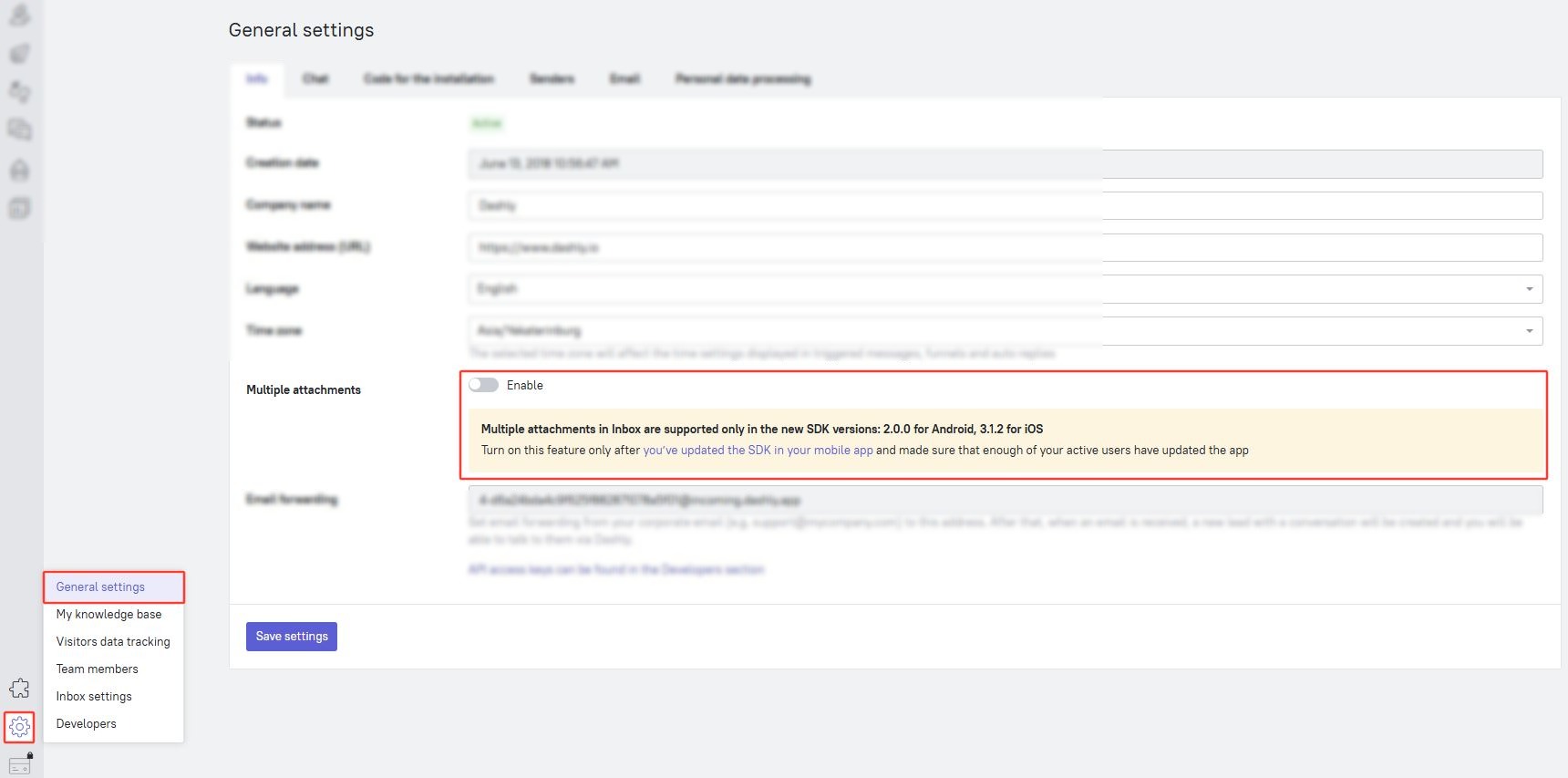
⚠️ SDK version requirements
For multiple attachments to work correctly, your mobile app must use the following (or higher) versions of the Dashly mobile SDK:
The latest SDK versions can always be found in our GitHub repository.
New Dashly projects and multiple attachments
Whether you need to enable this option manually depends on when the SDK was integrated:
For the projects that just started using the SDK: multiple attachments are enabled by default. You'll be using the latest version of the SDK, so this feature should work correctly. No additional actions are required.
For long-standing SDK users: this feature is disabled in your admin panel to protect your users (those using older versions of the app) from potential errors. You'll need to enable the feature manually after updating the SDK version.
How to enable multiple attachments
❗If you've been using the Dashly SDK for a long time, don't enable this option until you've updated your mobile app
To enable the feature:
- Update the SDK to Android versions ≥ 2.0.0 and iOS ≥ 3.1.2.
- Release: Publish updated versions of your app in the App Store, Google Play, and other stores.
- Wait: Give users time and ensure that most of them download and install the new version of the app with the updated SDK versions. This will help avoid confusion and inconsistencies between what operators send and what users see in chat.
- Enable the setting in your Dashly account:
- Go to Settings — General settings in the lower right corner
- Find the Multiple attachments section and toggle the switch to Enable.
- Click the Save settings button at the bottom of the page.
That's it! Operators can now easily send multiple files in a single message, and they will display correctly in your app.